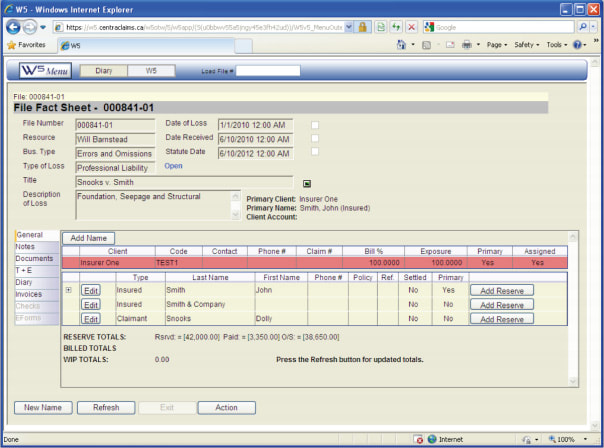
The main screen of each claims file provides vital data about the claim and links to further information.
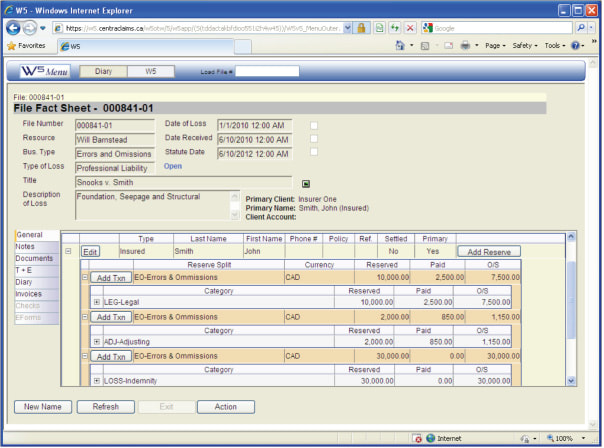
All of the paid and outstanding reserve information, including expense and indemnity, is available by clicking on the +/- beside the Insured’s name.
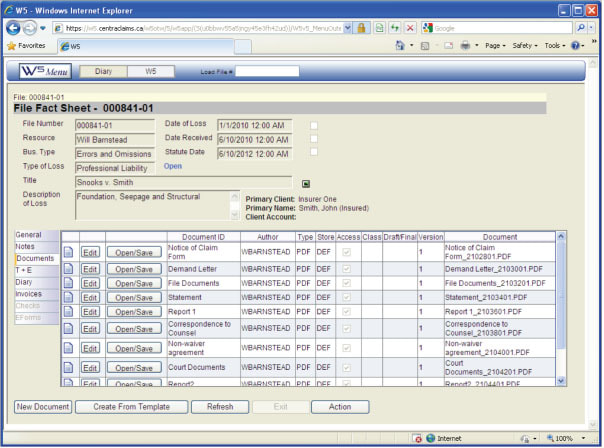
By selecting Documents from the menu on the left, a list of documents appears. Each document can be viewed, saved and printed by selecting open.
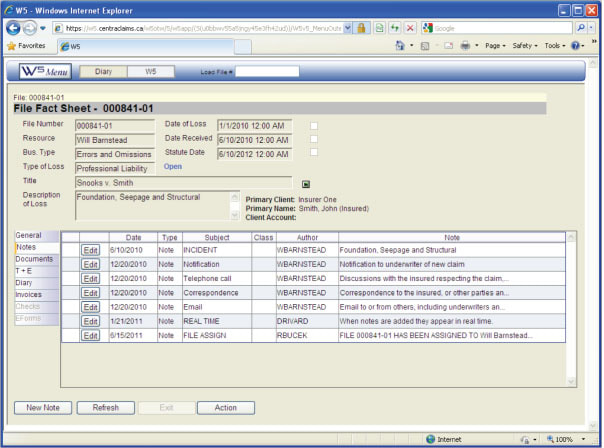
The claims manager, underwriter, broker, client or defence counsel may enter and receive notes by selecting Notes from the left hand menu. Notes provide a quick, simple and effective way to communicate between all of the parties. Notes remain on file and may be referred to at a later date. A review of notes can show how a claim is developing and remind all parties as to the ongoing activity of a claim.
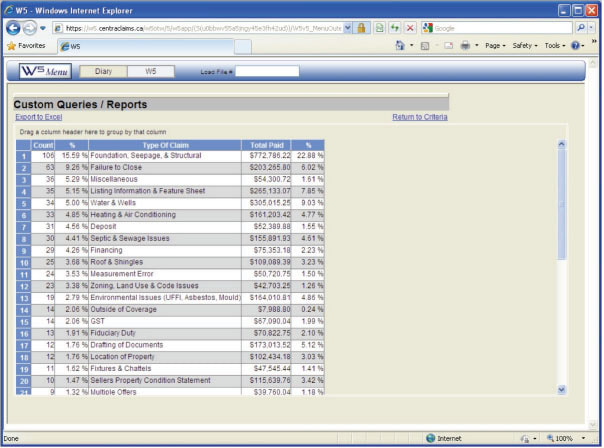
We can create custom reports to track any aspect of a program’s claims. This might be by the type of claim, loss location, time of day, anything you need.
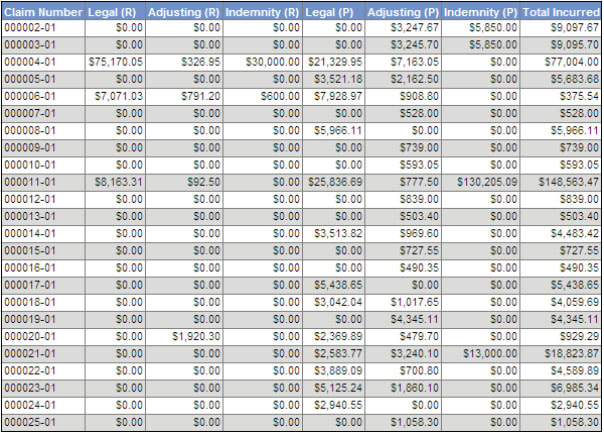
We can provide comprehensive bordereau reports in an HTML or Microsoft Excel format to track financial information or any other data. We can customize reports to be as simple or as complicated as you need.